How do I receive and verify payments?
Fees & Payments
School Owner
After assigning fees, you can start receiving payments for them from parents/guardians. In this guide, you’ll find information about receiving, tracking, and reviewing payments.
In this article
Click on a link below to jump to each section
Payment Methods
Parents/guardians will be able to pay using payment methods you configured and set as active in the school settings.
In this article
Click on a link below to jump to each section
💡 Need to learn more about payment methods? View How do I set up payment methods? guide.
Whether a payment needs to be verified by a finance admin or not, depends on the payment method.
Recording a Received Payment
When a payment arrives via bank transfer or is collected in cash, a finance admin has to record it. In other words, register the payment for a fee in AcademIQ.
To record a received payment, first find the fee the payment was made for. You can do this using the search bar at the top of the page or in the Fees section. Then, click Record Payment to open a form. Fill in the details and optionally upload a proof of payment. Confirm by clicking Record Payment.
🖋️ An example of a proof of payment for a bank transfer can be a receipt received by the guardian from the bank after making the payment.
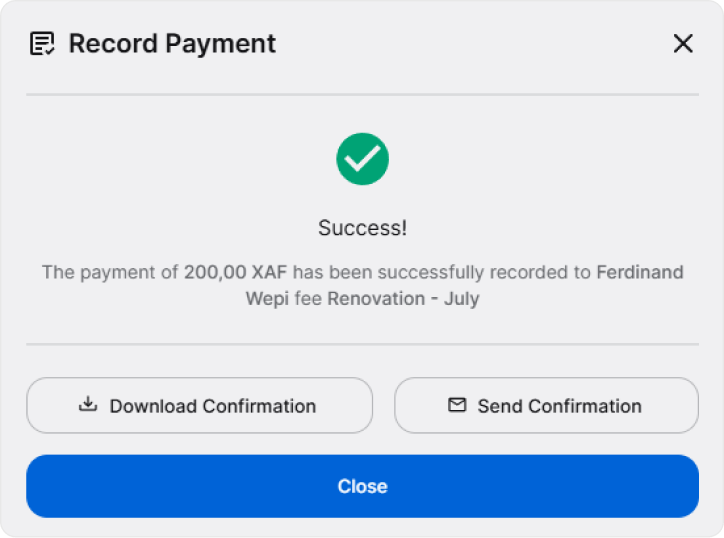
When successful, you’ll see a confirmation message. From here, you can download a confirmation of the payment or send it via email, for example to the guardian.
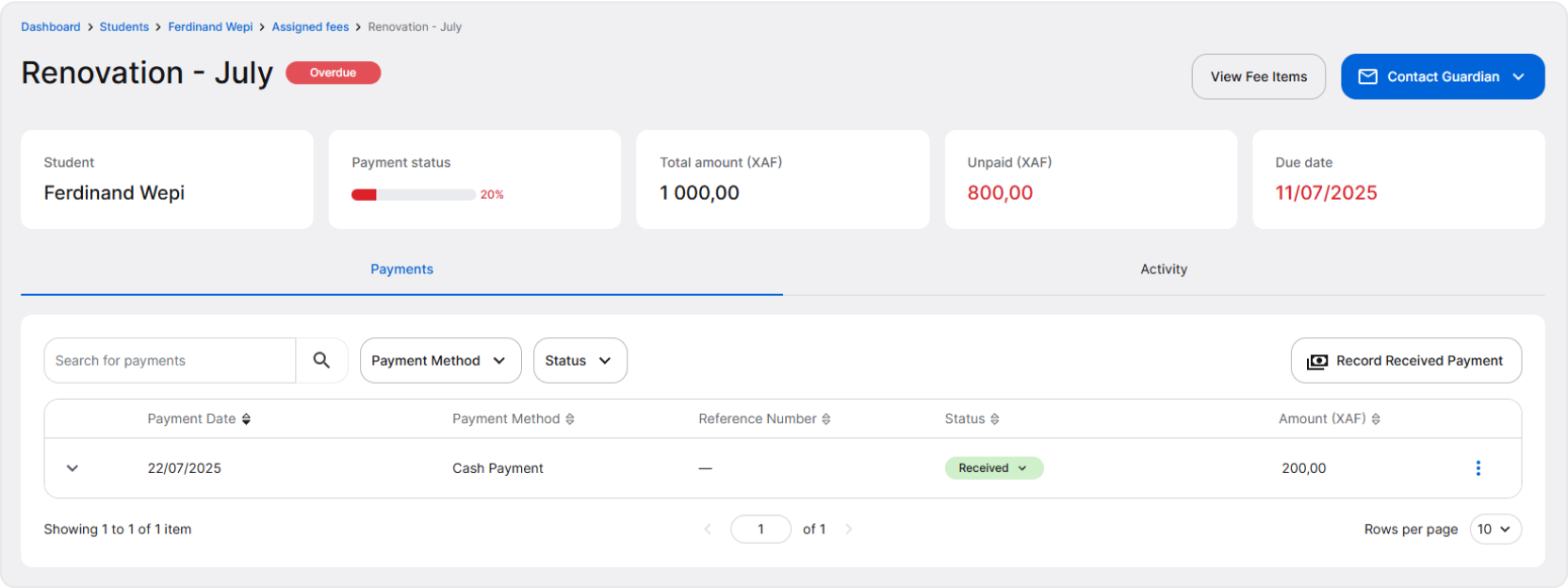
You can find the recorded payment on the fee details page.
Reviewing Payments Recorded by Guardians
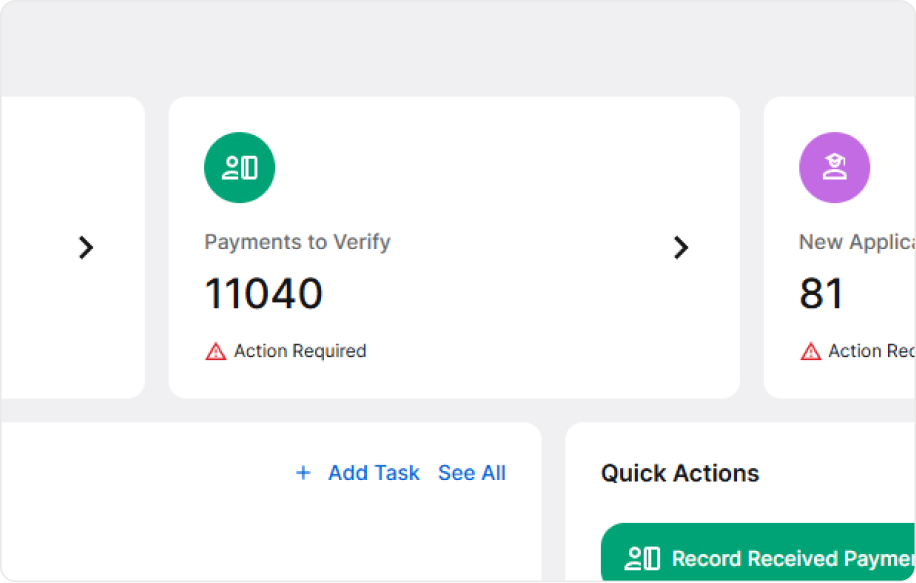
When a payment is made using bank transfer or mobile money, a guardian can record a payment directly in AcademIQ themselves. The payments will appear on a fee details page automatically and on a finance dashboard, you’ll see them on the Payments to Verify information card.
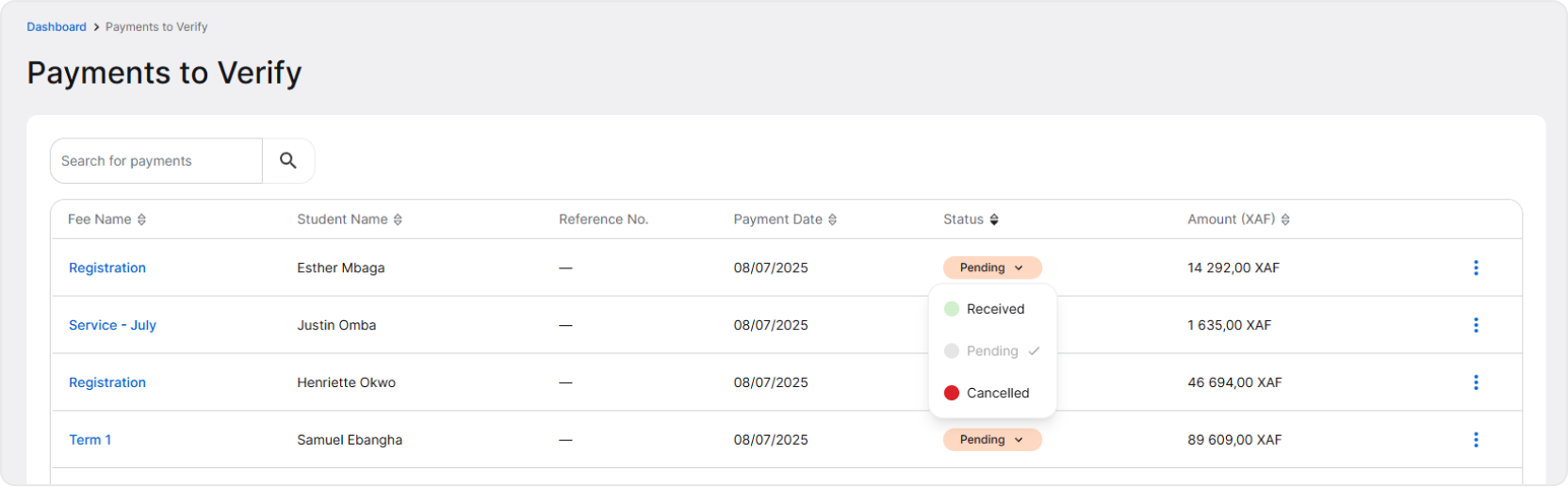
Each payment has a status: received, pending or cancelled. Payments made by guardians by bank transfer, will always be in the pending state until confirmed by the finance administrator.
When adding bank transfer payments, guardians have to upload a proof of payment. Usually, it’s a receipt received from the bank as a confirmation. After clicking a payment and viewing its details, you’ll see if a payment proof was added or not.
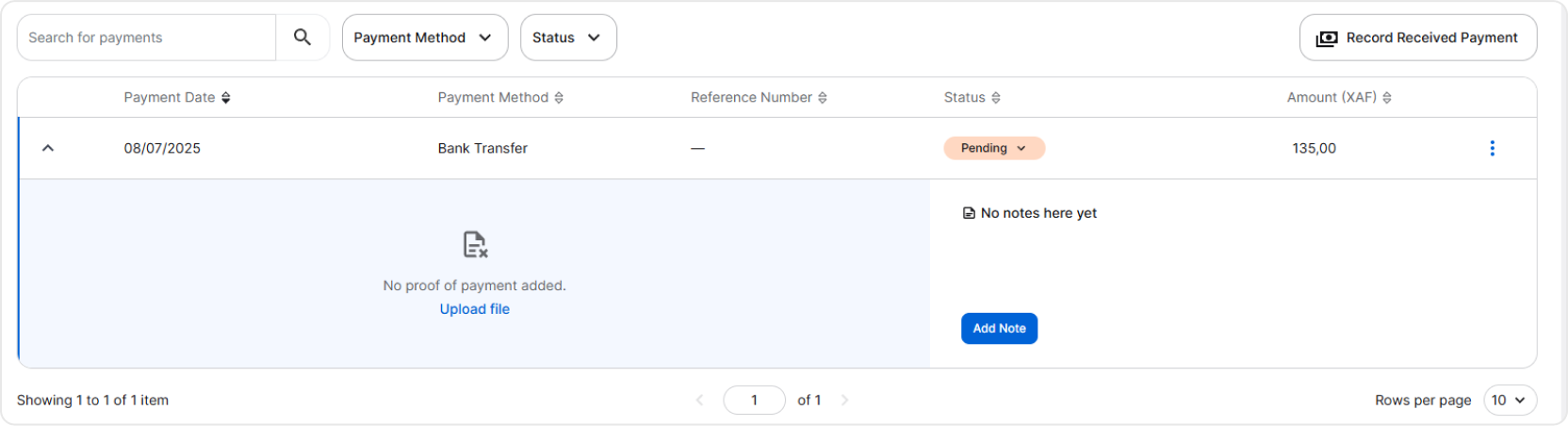
After reviewing a payment, you can confirm or deny it. To do this, simply click on the button with the status name and select either Received or Cancelled.
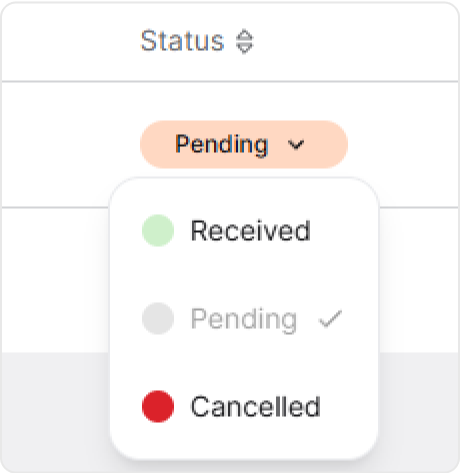
Guardians can see the change of the status of their payments and will be notified about it by AcademIQ.
Mobile Money Payments
When mobile money is configured and activated in the school settings as a payment method, it will be available for guardians. Mobile money payments are recorded in the system automatically and they don’t require any manual confirmation.