How do I submit final results?
Teaching & Student Management
Teacher
At the end of each term or school year, teachers need to submit final results for their students. This includes the total grades based on tests, assignments, and other assessments. In this tutorial, you’ll find a step by step guide on how to enter and submit final results using AcademIQ, making sure everything is accurate and ready for report cards.
In this article
Click on a link below to jump to each section
In this article
Click on a link below to jump to each section
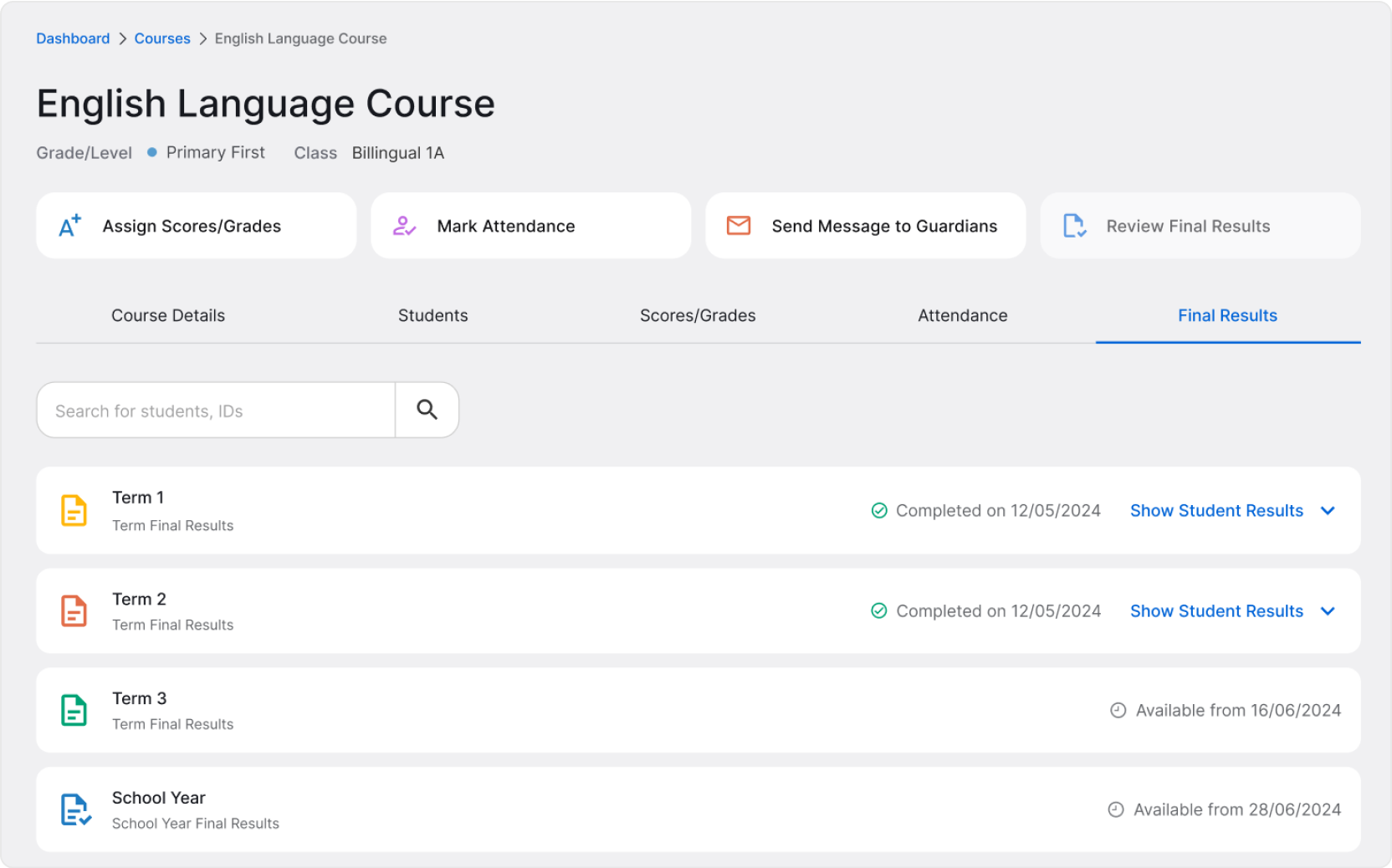
Final Result Submission Period
Reviewing final results becomes available during certain times of the school year. Usually, it’s the last week or two of a term/period. To see the exact dates set at your school, go to Your Classes > Class Name > Final Results tab.
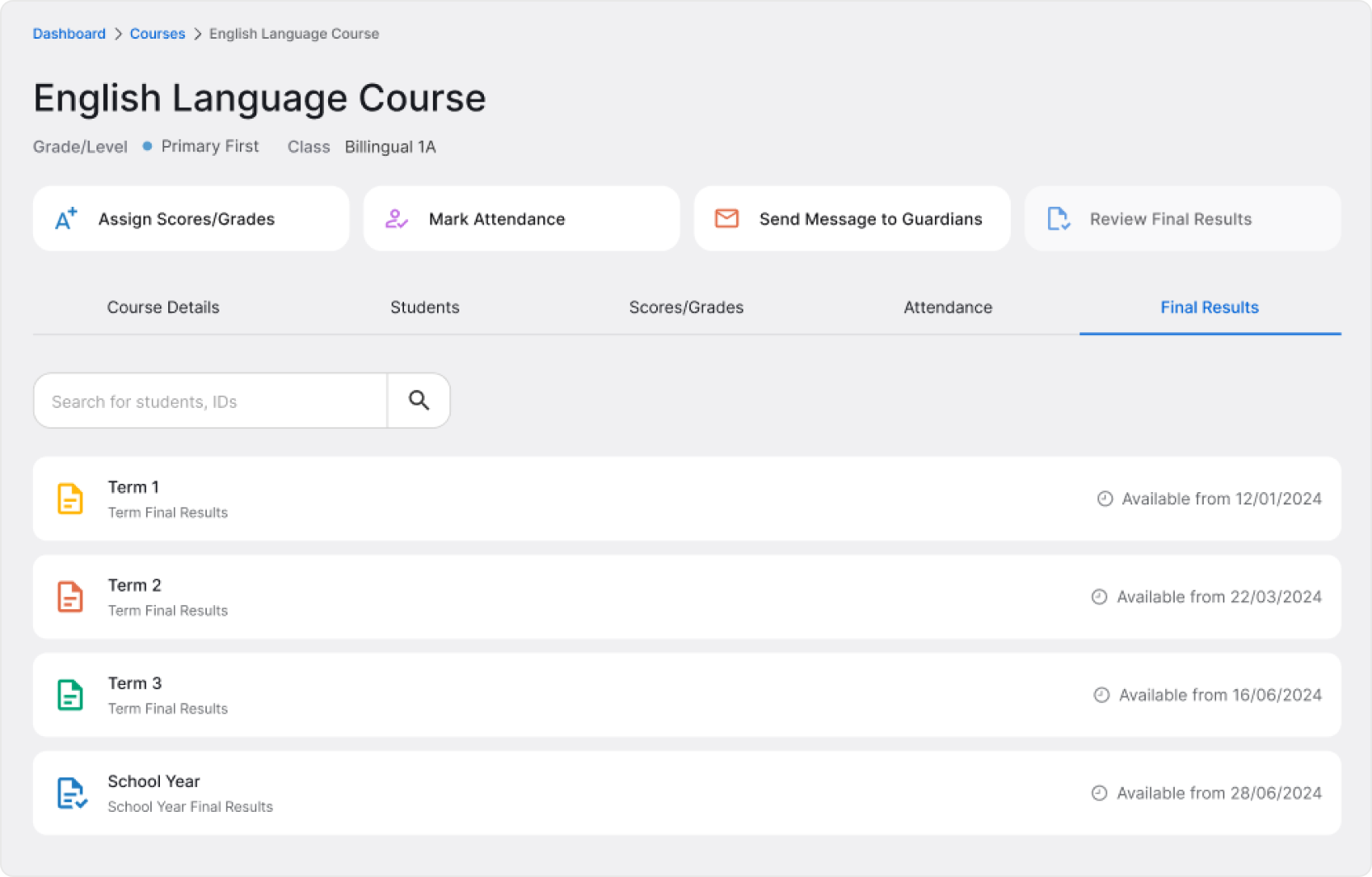
If final results aren’t available yet, all actions will be locked – including the Review Final Results button on top of the page.
💡 Reviewing and tracking final results from Class page is the most convenient. However, on a Student’s Profile, you’ll also find the Final Results tab where you can access and review that student’s results.
Once the time comes, reviewing final results will become available. Notice that the Review Final Results button is now available, and term final results card is active and shows a full list of students in the class.
❗ You don’t have to submit final scores right away, but mind the time left to submit them. Time to submit final scores is displayed on the final results card, next to Add to All Students button. When time runs out, you won’t be able to add final results or make any modifications.

Reviewing and Submitting Final Results
To start, either click the Review Final Results button on top of the page or Add to All Students on the term final results card. A page will open.
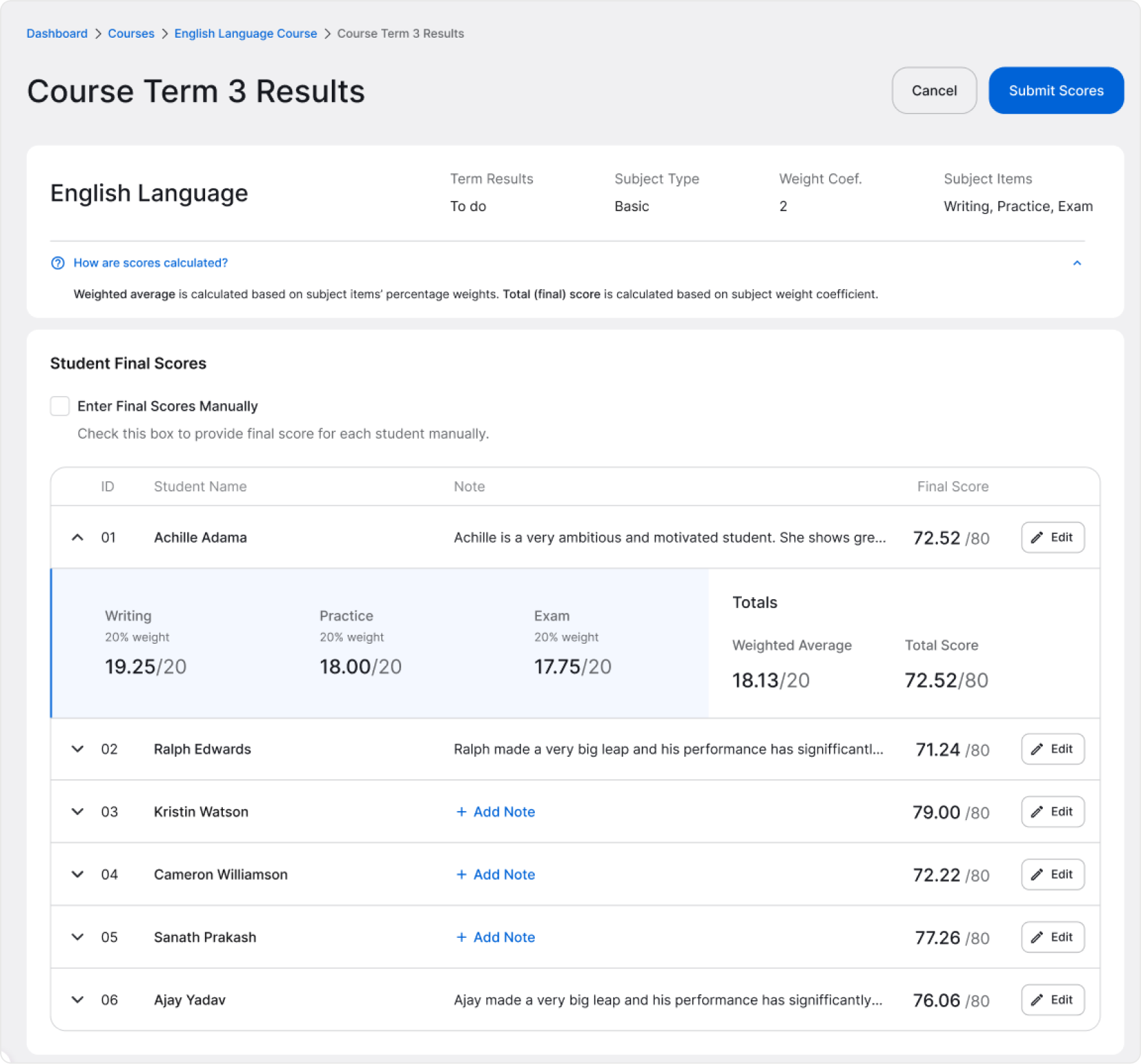
Find all basic information about the Class on top of the page. Below, you’ll see a table with final scores already calculated for each student.
❓ How are scores calculated? Weighted average is calculated based on subject items’ percentage weights. Total (final) score is calculated based on subject weight coefficient.
Although the results are automatically calculated, you can manually edit any student’s final score and add a note that will be shown on the student’s report card.
When you finish, click the Submit Scores button to confirm.
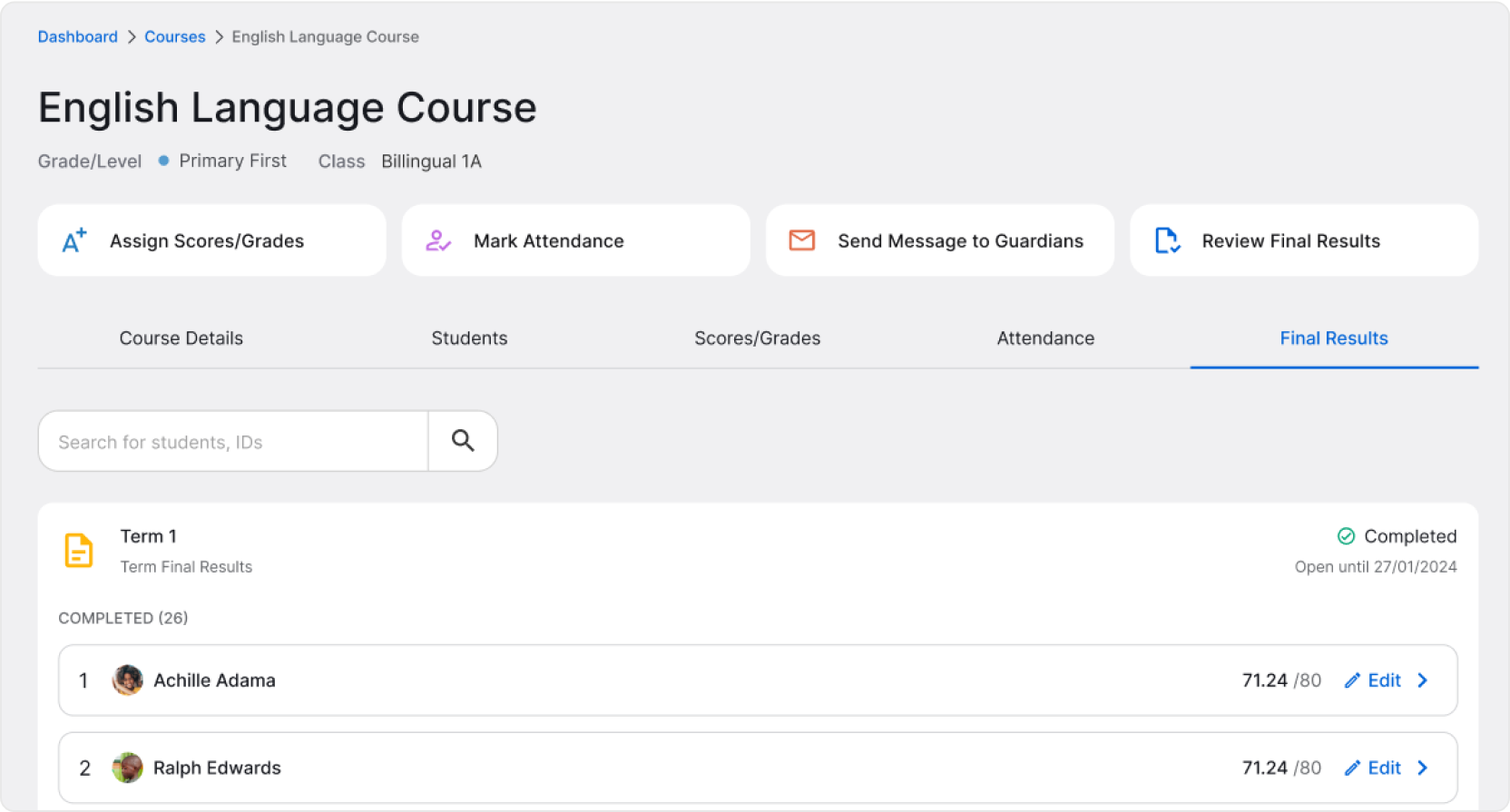
When you return to the Final Results tab, notice some changes. You’ll see a Completed label confirming that the scores were submitted and saved. You are still allowed to make changes to the final results as long as the submission period is open.
When final result submission period closes, submitting or modifying final results is not available anymore, but if they were submitted, you can view them by clicking View Student Results.