How do I view the timetable?
Parent App
Parent
Want to check your child’s class schedule? This guide shows you how to easily view their timetable – including subjects, teachers, lesson times, school events and days off, so you always know what’s coming up each day.
Viewing the Timetable
Find the timetable in the left-side menu. Tap Timetable to open it. By default, you will see lessons and events scheduled for today. Easily switch between weeks by using the left and right arrows, tap on the exact date to switch between days.
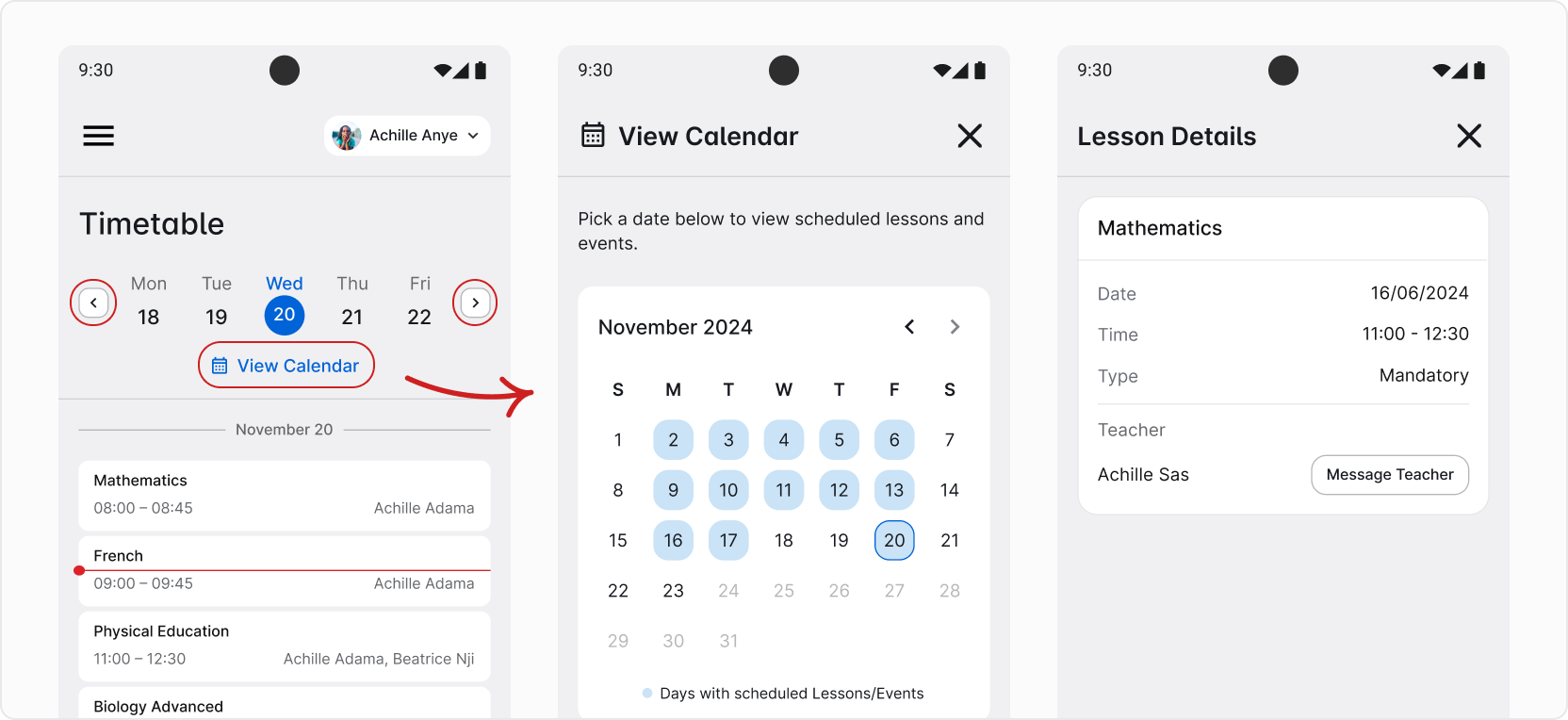
By default, you will see lessons and events scheduled for today. Easily switch between weeks by using the left and right arrows, tap on the exact date to switch between days. If you’re looking for a monthly view or need to find a date from further away, tap View Calendar. You can jump between months using arrows next to the name of the month and open a selected day by tapping on it.
You can also find details about an event/day off or lesson by simply tapping on it.