Getting Started as a Parent/Guardian
Onboarding
Parent
Welcome! This platform helps you stay informed about your child’s school life, from registration and payments to communication and updates.
This article walks you through your first steps after logging in.
In this article
Click on a link below to jump to each section
💡 You can access AcademIQ using your internet browser or download the Parent App for your phone. Get AcademIQ on Google Play Store.
Logging in or Activating Your Account
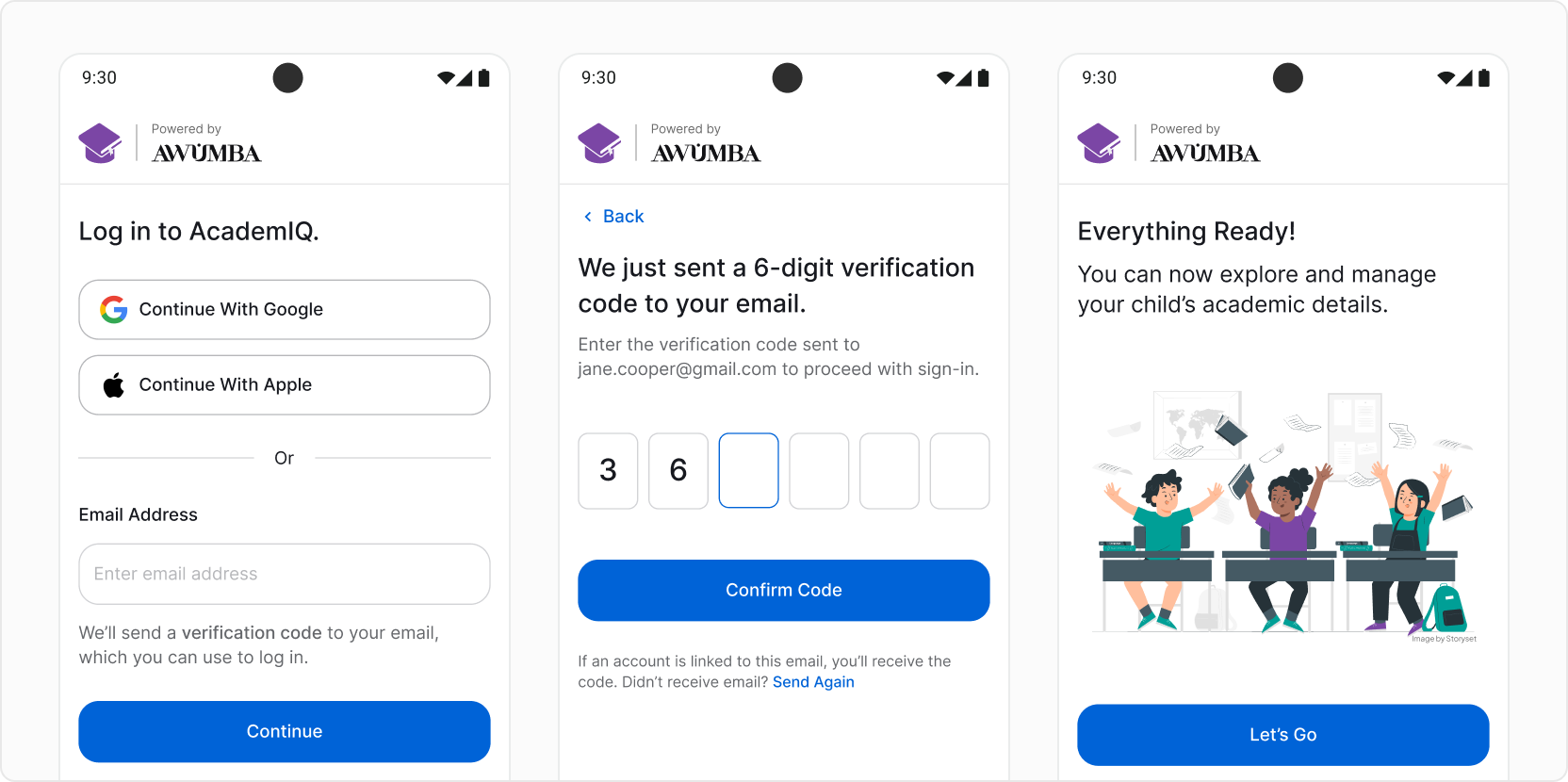
Go to the login page. If your email address and/or phone number have been added to the system by your school, you will be able to log in.
To log in, use either Google, Apple or your email address. Make sure you’re using the same email address you provided for your school as your contact email.
Optionally, if you don’t have an email address, you can log in using your mobile number.
In this article
Click on a link below to jump to each section
💡 Didn’t get access and can’t log in? Please contact your school for assistance.
Explore the Parent Dashboard
Once logged in, your dashboard will show you:
- Your child’s profile
- Fees and payment status
- Attendance records
- Announcements
- Messages from school or teachers
If you need help with understanding how to navigate the app or learn the basics, see the How do I find my way around the Parent App? guide.
Upload Registration Documents
Some schools may require you to upload documents (for example birth certificate, ID) before your child is fully enrolled. You can upload them directly using the app and they will be reviewed by the school admin.
Track and Pay Fees
You can view your balance and make payments directly from your dashboard, or by going to the “Fees & Payments” tab in the navigation menu on the left.
View Attendance and Justify Absences.
If your school is using the attendance feature, you have access to tracking your child’s full attendance record. You will be notified about absences. You can also justify any unjustified absences directly in the app for the school and teacher to see.
Contact the School or Teachers
You can send and receive private messages to or from your child’s teachers or school staff. Additionally, the school may send announcements.
Next Steps
Once you’re set up, you can track school activity through the dashboard, stay on top of payments, and message staff directly when needed. You can also explore the For Parents/Guardians section of the Help Center to learn more about the app’s features.